

To get started, it helps to distinguish between two key concepts:
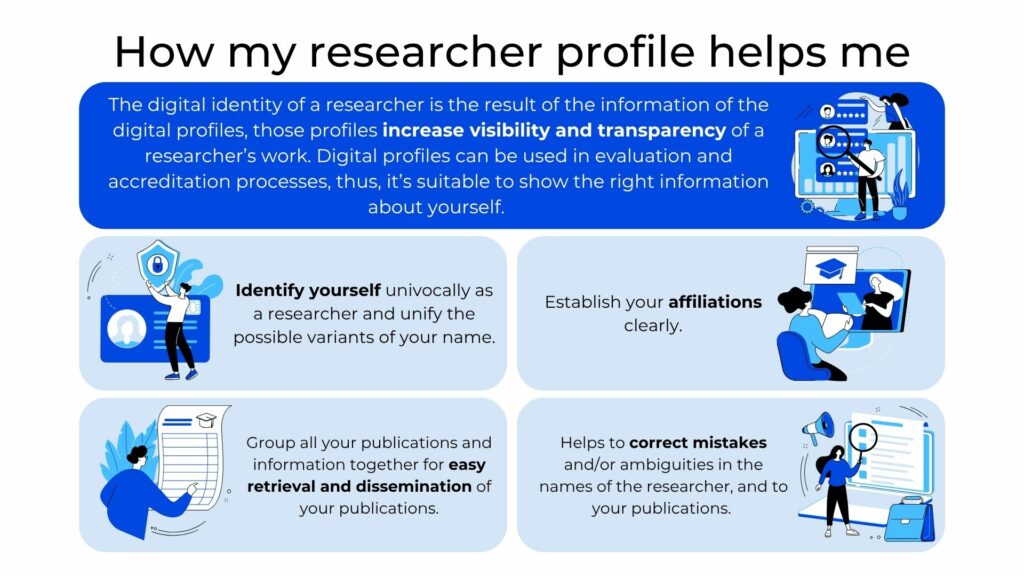
Keeping your researcher profiles up to date can help you:
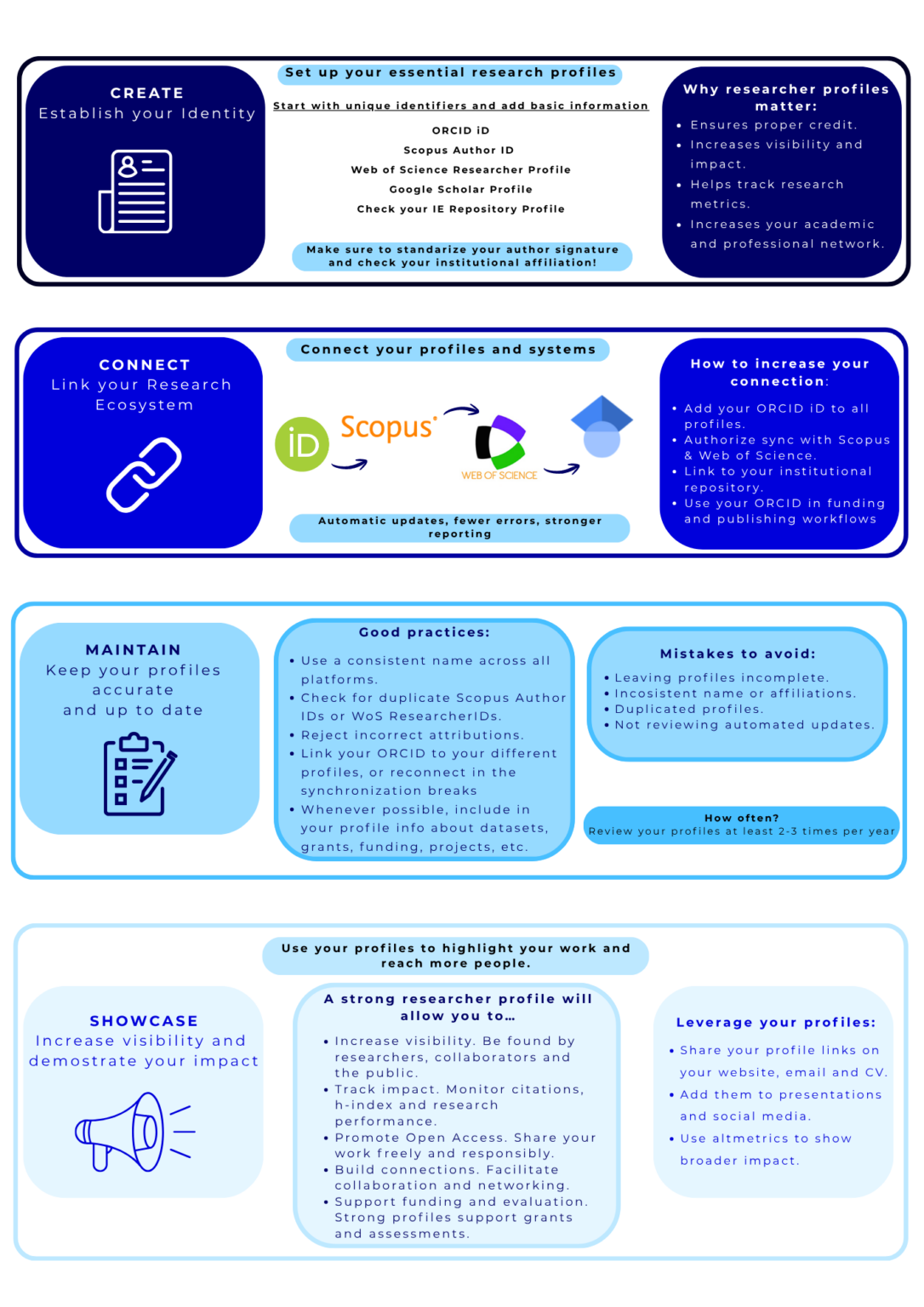
Researcher profiles are created and managed differently across platforms. You create your own ORCID record or Google Scholar profile, while Scopus automatically generates author profiles from indexed publications. Finally, Web of Science combines automatically generated author records with researcher profiles that you can create and manage yourself.
Explore the services below to learn how to find, set up, and maintain your profiles:
ORCID provides a free, unique, and persistent identifier for researchers, known as an ORCID iD. It helps distinguish you from other researchers and connects you to your work throughout your career, even if you change your name or institution.
Your identifier is always linked to an ORCID record, where you can include your publications, employment, education, funding, and other academic activities. In that record you control which information is publicly visible and which organisations can add or update information in your record.
You can use your ORCID iD when submitting manuscripts, applying for funding, and completing other research workflows.
Also, connecting your ORCID record to services such as Scopus and Web of Science allows you to transfer publication data without entering it manually. Web of Science also offers automatic updates: once you enable publication syncing, new publications added to your Web of Science researcher profile can be automatically added to your ORCID record.
Sign up and learn more:
Scopus is a multidisciplinary abstract and citation database provided by Elsevier. It helps researchers discover scholarly literature, track citations, and analyse research output.
A Scopus author profile brings together information about your publications indexed in Scopus, affiliations, co-authors, and citation metrics. Each profile has a unique identifier, called a Scopus Author ID, which helps distinguish you from other researchers with the same or similar names.
Your author profile is created automatically when a publication you have authored is indexed in Scopus. In other words: you do not need to register to have a profile. However, because profiles are generated automatically, publications may occasionally be assigned incorrectly or split across multiple profiles. Reviewing your profile helps ensure that it accurately represents your work.
How to find your Scopus author profile
If you want to verify whether you already have a Scopus Author ID assigned to you and your work, access Scopus through the Library E-Resources and Databases page and search for your name using the author search option. Check the publications and affiliations in the results to identify your profile.
What can you do with your Scopus author profile?
View your indexed publications and citation metrics, including citation counts and your h-index.
Explore your co-authorship network.
Request corrections to your preferred name, affiliation, and publication list, or request that duplicate profiles be merged.
Link your profile to your ORCID record and transfer publication data to ORCID.
Reviewing and correcting your profile
Because profiles are generated automatically, some publications may be incorrectly assigned to you, or your work may be split across multiple profiles. Review your publication list, name, and affiliation to check that your profile accurately represents your work.
You can request corrections to your preferred name, affiliation, and publication list, or ask for duplicate profiles to be merged. To submit a request, sign in with your Elsevier account or create one if you do not already have one. For instructions, see our guide to registering for Scopus for the first time.
Connecting your Scopus profile to ORCID
You can connect your Scopus author profile to your ORCID record and transfer publication data without entering it manually. For instructions, see our guide to linking your Scopus profile to ORCID.
Please note that new publications are not automatically transferred to ORCID. To keep your ORCID record up to date, you will need to repeat the import process.
Learn more:
Web of Science (WoS) is a multidisciplinary research platform provided by Clarivate. It helps researchers discover scholarly literature, track citations, and explore connections between publications and authors.
A Web of Science researcher profile brings together information about your publications, affiliation, citation metrics, and other academic activities, such as peer review. Each profile has a unique identifier, called a Web of Science ResearcherID, which helps distinguish you from other researchers and supports the correct attribution of your work.
Web of Science automatically generates author records from publications indexed in its Core Collection. These records have a ResearcherID, but this does not mean that you have claimed or reviewed your record. You can claim your author record to create a researcher profile that you manage yourself. If you do not have an author record, you can also create a researcher profile yourself.
How to find and claim your author record
Access Web of Science through the Library E-resources and Databases page and sign in with your existing Web of Science account, even if you registered with a previous institution’s email address.
If you are unsure whether you already have an account, or have trouble accessing an existing one, please contact the Library at openaccess@ie.edu or biblioteca@ie.edu before creating a new account. If you have never registered, follow our guide to registering for Web of Science for the first time.
Once signed in, search for your name using the researcher search option. Check the publications and affiliations in the results to identify the author record that belongs to you.
If your record has not yet been claimed, open it and click “Claim my record”. Follow the instructions to select the publications you have authored and complete the process.
What can you do with your Web of Science researcher profile?
Reviewing and updating your profile
Review your profile regularly to check that your publication list is accurate and your personal details are up to date. Remove any publications that are not yours and add any missing works. You can also include publications that are not indexed in the Web of Science Core Collection, although the citation metrics shown on your profile are based on that collection.
Keep your preferred name and current affiliation up to date through your profile settings. If you find additional author records containing your publications, or discover that you have more than one claimed profile, contact the Library for help bringing your records together.
Connecting your Web of Science profile to ORCID
You can connect your Web of Science researcher profile to your ORCID record and transfer publication data without entering it manually. For instructions, see our guide to linking your Web of Science profile to ORCID.
Once connected, open the ORCID syncing tab in your Web of Science profile settings and enable the option to export publications from Web of Science to ORCID. This allows data for new publications added to your Web of Science profile to be automatically added to your ORCID record.
Learn more:
Your Google Scholar profile allows you to showcase your work and increase visibility to others in your field.
A Google Scholar profile allows you to:
A Google Scholar Profile provides an easy way for others to find your research and enables you to keep track of your publications and see the publications that cite your work.
Your list of publications can be updated automatically or be reviewed and manually updated. Co-authors can also be added to promote collaborations. Moreover, if a Google Scholar profile is set to ‘public’, it will appear in Google Scholar search results.
It is also possible to export publications from your Google Scholar Profile into your ORCID record using a BibTeX file (instructions here).
Sign up and learn More:
Remember! It is highly recommended that you link your ORCID iD to your profiles on other platforms, such as Scopus and Web of Science. This simple step will help you avoid potential homonymy errors and give you greater visibility as a researcher.
Furthermore, linking your profiles to one another enables the two-way transfer of publication data between databases, which will save you time by eliminating the need for manual data entry.
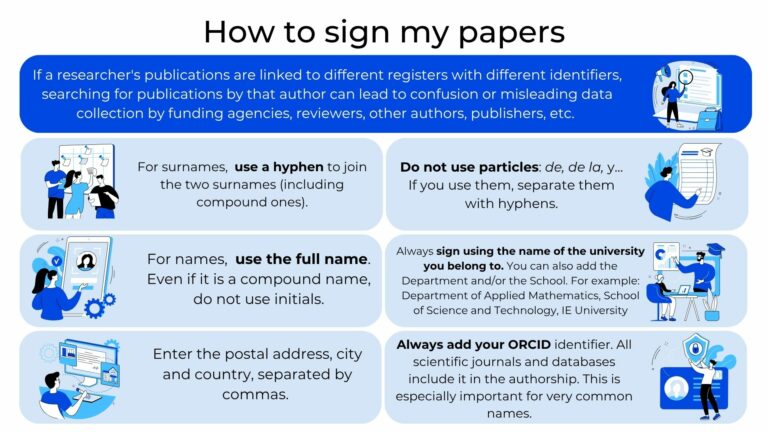
The use of a consistent name and institutional affiliation in all your publications aids to improve the visibility, retrieval, and correct attribution of your research.
The lack of standardization in researchers’ scientific names in publications and their institutions can lead to:
These issues can affect both the accurate attribution of individual research and the representation of the University’s research output in bibliographic databases. Following a standardized approach to author names and affiliations can help prevent these inconsistencies
We provide personalized support for any researcher. You can contact us anytime.
We can also take direct action in Scopus and Web of Science. We are able to:
Repository Assistance.
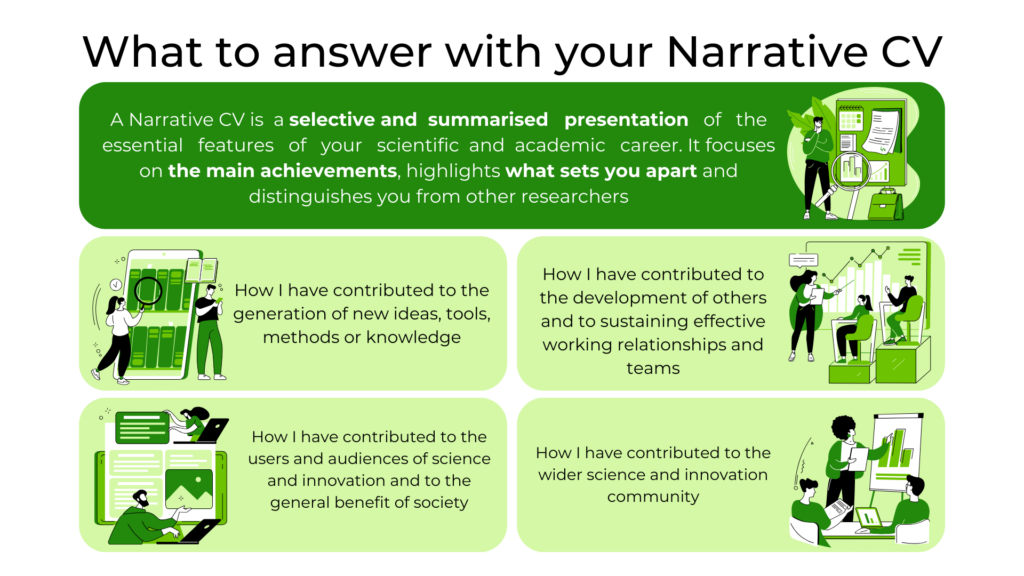
Narrative bibliometrics is an evaluation tool that allows the use of bibliometric indicators to generate stories and narratives that allow the defense and exposition of a scientific curriculum and/or its individual contributions within the framework of the new evaluation policies promoted by CoARA.
Here are some past training sessions from the IE University Library designed to help you create, link and manage your Researcher profiles:
Remember that you can check past IE Library training sessions, including those about your researcher profile here! We also provide a calendar of upcoming sessions.